
// app.jsx — Portfolio Jocelyn Vinatié
const { useState, useEffect, useRef } = React;

const TWEAK_DEFAULTS = {
  "palette": ["#ff3b14", "#ff6a3d", "#7a1f12"],
  "blur": 22,
  "parallaxSpeed": 100,
  "layout": "stack",
  "font": "archivo",
  "dark": true
};

const PROJECTS = [
  {
    id: "datwitch",
    tag: "01 — Direction artistique / Stream",
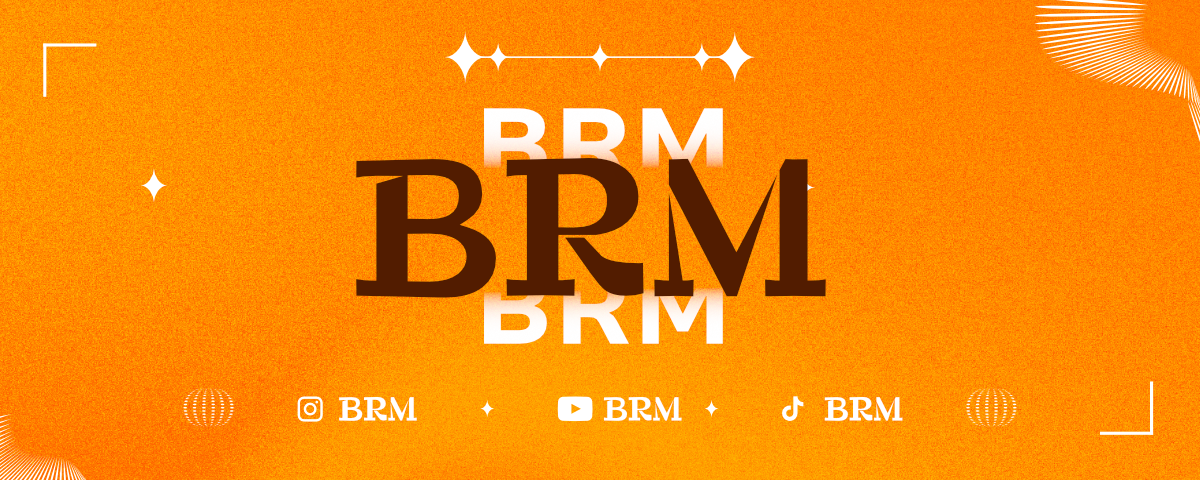
    title: "BRM Stream",
    client: "Personnel · BRM",
    year: "2026",
    role: "DA · Assets · Motion",
    stack: "HTML · CSS · After Effects",
    desc: "Direction artistique complète de mon stream Valorant. Pseudo BRM — création des overlays, widgets, banners, alertes animées et système de couleurs cohérent pour l'identité visuelle du stream.",
    accent: "#ff3b14",
    swatch: ["#0d0b14", "#ff3b14", "#7c3aed"],
    link: "https://github.com/Jocelyn-vnt/DA-TWITCH",
    pattern: "datwitch",
  },
  {
    id: "limogeshabitat",
    tag: "02 — Communication / Chef de projet",
    title: "Limoges Habitat",
    client: "Limoges Habitat · BUT",
    year: "2024",
    role: "Chef de projet · ID visuelle",
    stack: "Figma · Suite Adobe · Agile",
    desc: "Campagne de communication sur les charges locatives pour l'Office Public de l'Habitat. Direction de projet, identité visuelle et stratégie dans le cadre d'une agence fictive étudiante.",
    accent: "#2563eb",
    swatch: ["#080c18", "#2563eb", "#93c5fd"],
    link: "https://jocelyn-vnt.github.io/blog/second-post/",
    linkLabel: "Voir le projet →",
    pattern: "limogeshabitat",
  },
  {
    id: "coachella",
    tag: "03 — Motion Design / Identité visuelle",
    title: "Coachella 2025",
    client: "Projet créatif",
    year: "2025",
    role: "Direction artistique · Motion",
    stack: "After Effects · Illustrator · Figma",
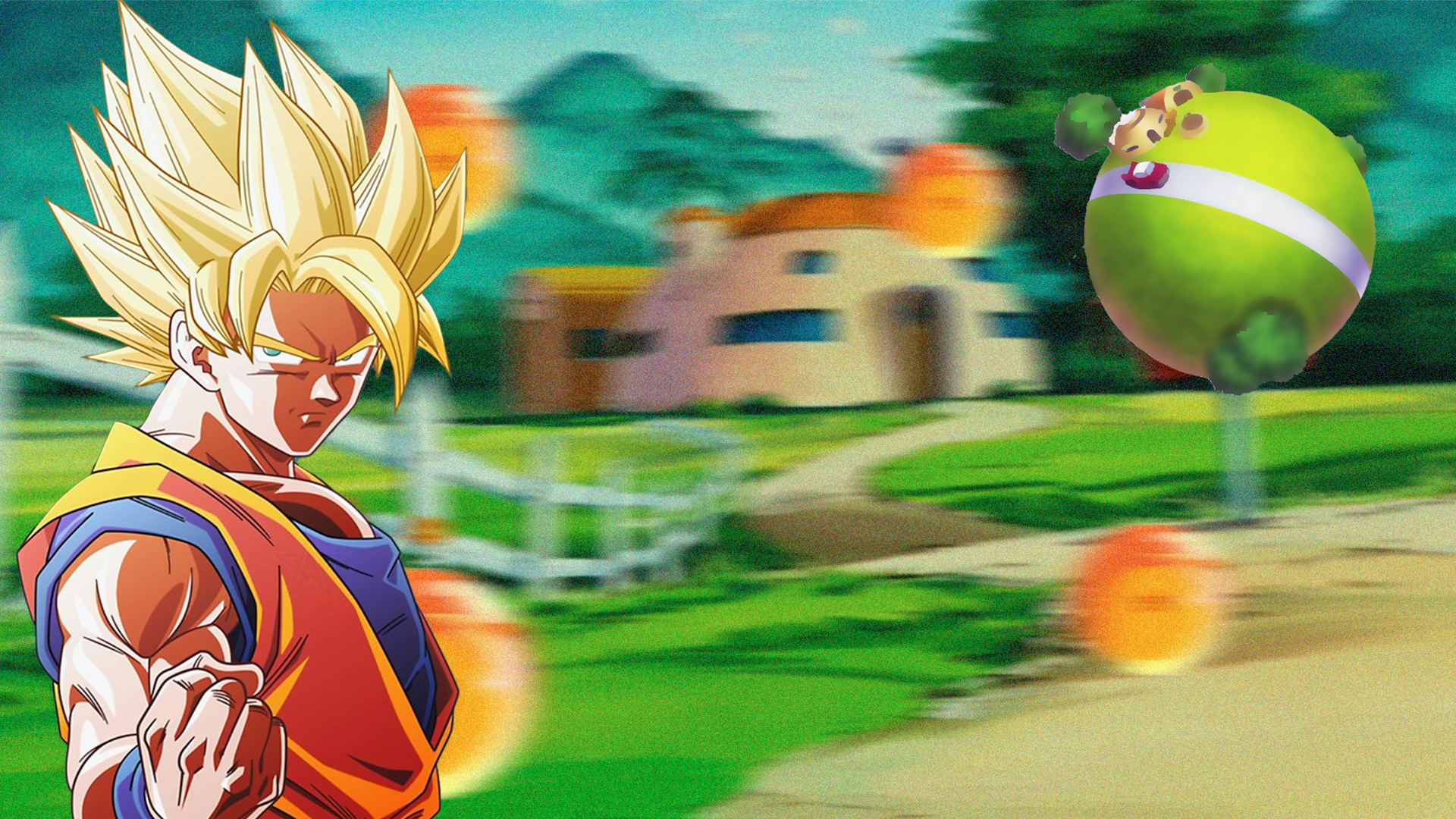
    desc: "Refonte identitaire du festival Coachella 2025 dans un univers Dragon Ball Z. Direction artistique sombre, motion design et campagne de communication — palette minimaliste noir/bleu.",
    accent: "#f59e0b",
    swatch: ["#0d0d0d", "#f59e0b", "#1b263b"],
    link: "https://jocelyn-vnt.github.io/blog/fifth-post/",
    linkLabel: "Voir le projet →",
    pattern: "coachella",
  },
  {
    id: "carlton",
    tag: "04 — E-commerce / Intégration",
    title: "Carlton",
    client: "IUT Limousin · SAE 301",
    year: "2022",
    role: "Design · Intégration",
    stack: "WordPress · WooCommerce · Figma",
    desc: "Site Click & Collect pour Carlton dans le cadre d'une SAE BUT. 20 wireframes, prototypage Figma, développement WordPress avec WooCommerce et TailwindCSS en 2 semaines.",
    accent: "#7c3aed",
    swatch: ["#080814", "#7c3aed", "#a78bfa"],
    link: "https://jocelyn-vnt.github.io/blog/first-post/",
    linkLabel: "Voir le projet →",
    pattern: "carlton",
  },
  {
    id: "limousininformatique",
    tag: "05 — Web Design / Stratégie digitale",
    title: "Limousin Informatique",
    client: "Limousin Informatique",
    year: "2024",
    role: "Design · Stratégie digitale",
    stack: "Figma · UX · Analyse",
    desc: "Stratégie digitale complète et refonte UX pour un prestataire IT local de Nouvelle-Aquitaine. Analyse concurrentielle, personas, design system, wireframes et prototype haute-fidélité interactif.",
    accent: "#ff6a3d",
    swatch: ["#140a06", "#ff6a3d", "#ff3b14"],
    link: "#",
    linkLabel: "Voir le prototype →",
    pattern: "limousininformatique",
  },
  {
    id: "kusmitea",
    tag: "06 — Site web / WordPress",
    title: "Kusmi Tea",
    client: "Projet BUT (SAE-301)",
    year: "2023",
    role: "Webdesign · Intégration",
    stack: "WordPress · PHP · CSS",
    desc: "Refonte du site Kusmi Tea dans le cadre d'une SAE BUT. Création d'un thème WordPress sur mesure, intégration des maquettes et personnalisation avancée.",
    accent: "#d4a017",
    swatch: ["#1a0f0a", "#d4a017", "#f6e8c3"],
    link: "https://github.com/Jocelyn-vnt/SAE-301",
    pattern: "kusmitea",
  },
  {
    id: "vrdragonball",
    tag: "07 — WebXR / 3D",
    title: "VR Dragon Ball",
    client: "Projet BUT",
    year: "2025",
    role: "Développement WebXR",
    stack: "A-Frame · WebGL · Three.js",
    desc: "Expérience immersive WebXR dans l'univers Dragon Ball. Collecte des 7 boules de cristal sur une île avec Kame House, mode vol débloqué à complétion.",
    accent: "#f97316",
    swatch: ["#0a0c14", "#f97316", "#fbbf24"],
    link: "https://github.com/Jocelyn-vnt/vr-dragonball",
    pattern: "vrdragonball",
  },
  {
    id: "skullking",
    tag: "08 — Développement web / UI",
    title: "Skull King",
    client: "Personnel",
    year: "2026",
    role: "Design · Développement",
    stack: "Vanilla JS · CSS",
    desc: "Compteur de points digital pour le jeu de cartes Skull King. Gestion de 6 joueurs, mises, plis et bonus (pirates, sirènes, Skull King) sur 10 manches.",
    accent: "#d4a017",
    swatch: ["#0f0c07", "#d4a017", "#8b1a1a"],
    link: "https://github.com/Jocelyn-vnt/skull-king",
    pattern: "skullking",
  },
  {
    id: "harmonies",
    tag: "09 — Jeu / Développement",
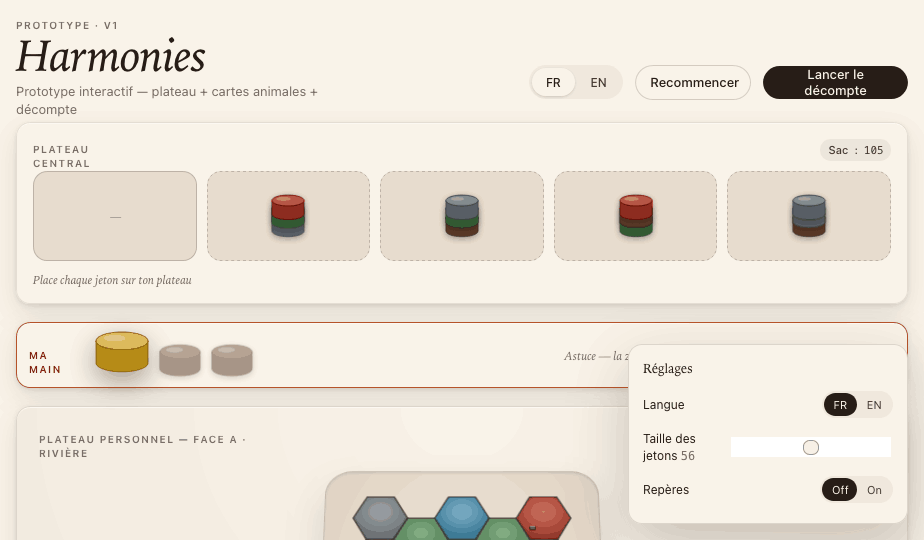
    title: "Harmonies",
    client: "Personnel",
    year: "2026",
    role: "Game design · Développement",
    stack: "React · JavaScript",
    desc: "Prototype interactif du jeu de société Harmonies. Système de tuiles, plateau de jeu, mécaniques de scoring et composants React modulaires.",
    accent: "#22c55e",
    swatch: ["#0a1a0f", "#22c55e", "#86efac"],
    link: "https://github.com/Jocelyn-vnt/harmonies-game",
    pattern: "harmonies",
  },
  {
    id: "secretsanta",
    tag: "10 — Application web / UI",
    title: "Secret Santa",
    client: "Personnel",
    year: "2024",
    role: "Design · Développement",
    stack: "React · Vite · TailwindCSS",
    desc: "Application web de tirage au sort Secret Santa. Ajout/suppression de participants, appariement aléatoire, interface festive déployée sur GitHub Pages.",
    accent: "#ef4444",
    swatch: ["#0f0a0a", "#ef4444", "#16a34a"],
    link: "https://github.com/Jocelyn-vnt/secret-santa",
    pattern: "secretsanta",
  },
  {
    id: "tvmaze",
    tag: "11 — App mobile / API",
    title: "TV Maze",
    client: "Projet BUT",
    year: "2024",
    role: "UI Design · Développement",
    stack: "React · Vite · API REST",
    desc: "Application mobile de découverte de films et séries connectée à l'API TV Maze. Recherche, fiches détaillées, interface optimisée mobile.",
    accent: "#7c3aed",
    swatch: ["#0d0a1a", "#7c3aed", "#a78bfa"],
    link: "https://github.com/Jocelyn-vnt/TV-MAZE",
    pattern: "tvmaze",
  },
  {
    id: "nuitmmi",
    tag: "12 — Créatif / Creative coding",
    title: "Nuit MMI 2025",
    client: "Projet BUT",
    year: "2025",
    role: "Creative coding",
    stack: "p5.js · JavaScript",
    desc: "Projet créatif réalisé lors de la Nuit MMI 2025. Expérience interactive et générative construite avec p5.js en une nuit de création intensive.",
    accent: "#06b6d4",
    swatch: ["#050e14", "#06b6d4", "#f0abfc"],
    link: "https://github.com/Jocelyn-vnt/nuit-mmi-2025",
    pattern: "nuitmmi",
  },
];

function CardVisual({ p }) {
  const base = { position:"absolute", inset:0, color:"#fff" };
  const mono = "JetBrains Mono";
  const display = "Archivo Black";

  if (p.pattern === "datwitch") {
    return (
      <div style={{...base, overflow:"hidden"}}>
        <img src="assets/twitch/banner-orange.png" style={{width:"100%",height:"100%",objectFit:"cover",display:"block"}} alt=""/>
      </div>
    );
  }
  if (p.pattern === "skullking") {
    return (
      <div style={{...base, background:`linear-gradient(160deg,${p.swatch[0]} 0%,#1a1005 100%)`}}>
        <div style={{position:"absolute", top:18, left:22, fontFamily:mono, fontSize:9, letterSpacing:".14em", color:"rgba(255,255,255,.45)", textTransform:"uppercase"}}>SKULL KING · SCORE</div>
        <div style={{position:"absolute", top:18, right:22, fontFamily:mono, fontSize:9, color:p.accent}}>☠</div>
        <div style={{position:"absolute", left:24, right:24, top:"28%", display:"flex", flexDirection:"column", gap:0}}>
          <div style={{display:"grid", gridTemplateColumns:"1fr repeat(3,40px)", gap:4, borderBottom:`1px solid ${p.accent}44`, paddingBottom:5, marginBottom:5}}>
            {["JOUEUR","R1","R2","TOT"].map(h=>(<div key={h} style={{fontFamily:mono, fontSize:7, color:"rgba(255,255,255,.4)", letterSpacing:".1em", textAlign:"right"}}>{h}</div>))}
          </div>
          {[["Jocelyn","18","22","40"],["Lucas","0","15","15"],["Emma","10","-5","5"]].map(([n,...scores])=>(
            <div key={n} style={{display:"grid", gridTemplateColumns:"1fr repeat(3,40px)", gap:4, padding:"4px 0", borderBottom:"1px solid rgba(255,255,255,.06)"}}>
              <div style={{fontFamily:mono, fontSize:8, color:"rgba(255,255,255,.7)"}}>{n}</div>
              {scores.map((s,i)=>(<div key={i} style={{fontFamily:mono, fontSize:8, color: i===2 ? p.accent : "rgba(255,255,255,.55)", textAlign:"right"}}>{s}</div>))}
            </div>
          ))}
        </div>
        <div style={{position:"absolute", bottom:16, left:22, fontFamily:display, fontSize:"12%", color:p.accent, letterSpacing:"-.01em", textTransform:"uppercase", lineHeight:.9}}>SKULL<br/>KING</div>
        <div style={{position:"absolute", bottom:16, right:22, fontFamily:mono, fontSize:8, color:"rgba(255,255,255,.3)"}}>VANILLA JS</div>
      </div>
    );
  }
  if (p.pattern === "harmonies") {
    return (
      <div style={{...base, overflow:"hidden"}}>
        <img src="assets/harmonies/01-overview.png" style={{width:"100%",height:"100%",objectFit:"cover",display:"block"}} alt=""/>
      </div>
    );
  }
  if (p.pattern === "vrdragonball") {
    return (
      <div style={{...base, overflow:"hidden"}}>
        <img src="assets/dragon-ball/cover.png" style={{width:"100%",height:"100%",objectFit:"cover",display:"block"}} alt=""/>
      </div>
    );
  }
  if (p.pattern === "secretsanta") {
    return (
      <div style={{...base, background:`linear-gradient(135deg,${p.swatch[0]} 0%,#0a0a0a 100%)`}}>
        <div style={{position:"absolute", top:18, left:22, fontFamily:mono, fontSize:9, letterSpacing:".14em", color:"rgba(255,255,255,.45)", textTransform:"uppercase"}}>SECRET SANTA · 2024</div>
        <div style={{position:"absolute", top:18, right:22, fontFamily:mono, fontSize:9, color:p.swatch[2]}}>REACT</div>
        <div style={{position:"absolute", left:24, right:24, top:"28%", display:"flex", flexDirection:"column", gap:8}}>
          {["Lucas → Emma","Jocelyn → Camille","Emma → Lucas","Camille → Jocelyn"].map((pair,i)=>(
            <div key={i} style={{background: i===0 ? `${p.accent}22` : "rgba(255,255,255,.05)", border:`1px solid ${i===0 ? p.accent+"55" : "rgba(255,255,255,.08)"}`, borderRadius:8, padding:"7px 12px", fontFamily:mono, fontSize:9, color: i===0 ? "#fff" : "rgba(255,255,255,.5)", display:"flex", justifyContent:"space-between"}}>
              <span>{pair}</span>{i===0&&<span style={{color:p.accent}}>✓</span>}
            </div>
          ))}
        </div>
        <div style={{position:"absolute", bottom:16, left:22, fontFamily:display, fontSize:"11%", textTransform:"uppercase", lineHeight:.9}}>SECRET<br/><span style={{color:p.accent}}>SANTA</span></div>
        <div style={{position:"absolute", bottom:16, right:22, fontFamily:mono, fontSize:8, color:"rgba(255,255,255,.3)"}}>TAILWIND · VITE</div>
      </div>
    );
  }
  if (p.pattern === "tvmaze") {
    return (
      <div style={{...base, background:`linear-gradient(135deg,${p.swatch[0]} 0%,#0d0a1a 100%)`}}>
        <div style={{position:"absolute", top:18, left:22, fontFamily:mono, fontSize:9, letterSpacing:".14em", color:"rgba(255,255,255,.45)", textTransform:"uppercase"}}>TV MAZE · APP MOBILE</div>
        <div style={{position:"absolute", top:18, right:22, fontFamily:mono, fontSize:9, color:p.accent}}>API REST</div>
        <div style={{position:"absolute", left:22, top:"26%", right:22, display:"grid", gridTemplateColumns:"repeat(3,1fr)", gap:8}}>
          {[["Breaking Bad","Drama","9.5"],["Stranger Things","Sci-Fi","8.7"],["Dark","Thriller","8.9"]].map(([title,genre,rating])=>(
            <div key={title} style={{background:"rgba(255,255,255,.06)", borderRadius:8, padding:"8px 7px", border:"1px solid rgba(255,255,255,.08)"}}>
              <div style={{fontFamily:display, fontSize:"9%", lineHeight:.9, marginBottom:4, textTransform:"uppercase"}}>{title}</div>
              <div style={{fontFamily:mono, fontSize:7, color:"rgba(255,255,255,.4)", letterSpacing:".06em"}}>{genre}</div>
              <div style={{fontFamily:mono, fontSize:8, color:p.accent, marginTop:4}}>★ {rating}</div>
            </div>
          ))}
        </div>
        <div style={{position:"absolute", bottom:16, left:22, fontFamily:display, fontSize:"12%", color:p.accent, textTransform:"uppercase"}}>TV MAZE</div>
        <div style={{position:"absolute", bottom:16, right:22, fontFamily:mono, fontSize:8, color:"rgba(255,255,255,.3)"}}>REACT · VITE</div>
      </div>
    );
  }
  if (p.pattern === "nuitmmi") {
    return (
      <div style={{...base, background:`linear-gradient(135deg,${p.swatch[0]} 0%,#0a0a14 100%)`}}>
        <div style={{position:"absolute", top:18, left:22, fontFamily:mono, fontSize:9, letterSpacing:".14em", color:"rgba(255,255,255,.45)", textTransform:"uppercase"}}>NUIT MMI 2025</div>
        <div style={{position:"absolute", top:18, right:22, fontFamily:mono, fontSize:9, color:p.accent}}>p5.js</div>
        <div style={{position:"absolute", inset:0, display:"grid", placeItems:"center", overflow:"hidden"}}>
          <svg viewBox="0 0 200 120" width="80%" style={{opacity:.8}}>
            {Array.from({length:40},(_,i)=>{
              const x = (i%10)*22+10, y = Math.floor(i/10)*32+16;
              const r = 4+Math.sin(i*1.3)*3, hue = (i*23+180)%360;
              return <circle key={i} cx={x} cy={y} r={r} fill={`hsla(${hue},80%,60%,${.4+Math.sin(i*.7)*.3})`}/>;
            })}
            {[[30,20,170,100],[50,80,150,40],[10,60,190,60]].map(([x1,y1,x2,y2],i)=>(
              <line key={i} x1={x1} y1={y1} x2={x2} y2={y2} stroke="rgba(255,255,255,.08)" strokeWidth="0.5"/>
            ))}
          </svg>
        </div>
        <div style={{position:"absolute", bottom:16, left:22, fontFamily:display, fontSize:"11%", textTransform:"uppercase", lineHeight:.9}}>CRÉATIF<br/><span style={{color:p.accent}}>CODING</span></div>
        <div style={{position:"absolute", bottom:16, right:22, fontFamily:mono, fontSize:8, color:"rgba(255,255,255,.3)"}}>p5.js · JAVASCRIPT</div>
      </div>
    );
  }
  if (p.pattern === "limousininformatique") {
    return (
      <div style={{...base, overflow:"hidden"}}>
        <img src="assets/limousin-info/cover.png" style={{width:"100%",height:"100%",objectFit:"cover",display:"block"}} alt=""/>
      </div>
    );
  }
  if (p.pattern === "limogeshabitat") {
    return (
      <div style={{...base, overflow:"hidden"}}>
        <img src="assets/limoges-habitat/cover.png" style={{width:"100%",height:"100%",objectFit:"cover",display:"block"}} alt=""/>
      </div>
    );
  }
  if (p.pattern === "coachella") {
    return (
      <div style={{...base, overflow:"hidden"}}>
        <img src="assets/coachella/cover.png" style={{width:"100%",height:"100%",objectFit:"cover",display:"block"}} alt=""/>
      </div>
    );
  }
  if (p.pattern === "carlton") {
    return (
      <div style={{...base, overflow:"hidden"}}>
        <img src="assets/carlton/cover.png" style={{width:"100%",height:"100%",objectFit:"cover",display:"block"}} alt=""/>
      </div>
    );
  }
  // kusmitea
  return (
    <div style={{...base, overflow:"hidden"}}>
      <img src="assets/kusmi-tea/cover.jpg" style={{width:"100%",height:"100%",objectFit:"cover",display:"block"}} alt=""/>
    </div>
  );
}

const PROJECT_DETAILS = {
  datwitch: { sections:[
    { label:"01 — Le stream", title:["BRM sur","Valorant"], body:"Stream Valorant sous le pseudo BRM. Tout l'habillage visuel du stream est designé et produit par mes soins — une identité cohérente du début à la fin de chaque session.", tags:["Twitch","Valorant","OBS","Direction artistique"], flip:false, img:"assets/twitch/banner-orange.png", img2:"assets/twitch/banner-lavender.png" },
    { label:"02 — Assets & overlays", title:["Widgets,","banners & HUD"], body:"Création de l'ensemble des assets : banners de chaîne, overlays de jeu, widgets de score, cam mask, écrans BRB et écran d'attente. Chaque élément suit la même charte graphique.", tags:["Overlays","Banner","Widget","Cam mask","BRB"], flip:true, img:"assets/twitch/brb-orange.png", img2:"assets/twitch/brb-lavender.png" },
    { label:"03 — Alertes animées", title:["Follow, Sub,","Raid & Hype"], body:"5 alertes animées en CSS/HTML : follow, abonnement, bits, raid et hype train. Animations keyframe, timing calibré pour l'impact en live, intégration directe dans OBS via source navigateur.", tags:["CSS Animations","@keyframes","Source navigateur","OBS"], flip:false, img:"assets/twitch/alert-follow.png", img2:"assets/twitch/alert-bits.png", img3:"assets/twitch/panel-about.png" },
  ]},
  skullking: { sections:[
    { label:"01 — Le jeu", title:["Skull King","digitalisé"], body:"Skull King est un jeu de plis où les mises et les bonus rendent le calcul très complexe. L'app automatise tout : mise, plis gagnés, pirates, sirènes, Skull King sur 10 manches.", tags:["Game design","Score tracker","UX"], flip:false },
    { label:"02 — Interface", title:["Table de","scores"], body:"Gestion jusqu'à 6 joueurs. Saisie des mises et plis par manche, calcul automatique des bonus et du total. Classement final détaillé avec l'historique complet.", tags:["UX","Interface","State"], flip:true },
    { label:"03 — Technique", title:["Vanilla JS","pur"], body:"Zéro dépendance, zéro framework. État géré manuellement, DOM manipulé directement. Un exercice de JavaScript fondamental — logique métier pure.", tags:["Vanilla JS","DOM","State management","CSS3"], flip:false },
  ]},
  harmonies: { sections:[
    { label:"01 — Le concept", title:["Harmonies","en React"], body:"Adaptation numérique du jeu de société Harmonies. Tuiles colorées à placer sur un plateau hexagonal, règles de scoring par adjacence d'animaux et de biomes, composants React modulaires.", tags:["React","Game prototype","Component design"], flip:false, img:"assets/harmonies/01-overview.png" },
    { label:"02 — Gameplay", title:["Plateau","& cartes"], body:"Plateau de jeu interactif, pioche de cartes animaux, sélection et placement de tuiles colorées. Chaque carte impose un pattern d'adjacence précis pour marquer des points.", tags:["React","Game logic","Tuiles","Cartes"], flip:true, img:"assets/harmonies/02-board.png", img2:"assets/harmonies/03-cards.png" },
    { label:"03 — Architecture", title:["Score &","composants"], body:"Séparation claire : tile, board, animals, scoring, scorepanel. Panel de score en temps réel, main active du joueur et state central géré via hooks React. Zéro dépendance externe.", tags:["React hooks","Architecture","State","Scoring"], flip:false, img:"assets/harmonies/04-score.png", img2:"assets/harmonies/05-hand-active.png" },
  ]},
  vrdragonball: { sections:[
    { label:"01 — L'univers", title:["Dragon Ball","WebXR"], body:"Une île navigable avec Kame House, palmiers et 7 boules de cristal disséminées. Système d'eau avancé (ada-water) avec vagues, mousse et horizon infini. HUD de progression, sons d'ambiance positionnels, vidéo intro déclenchée par proximité.", tags:["A-Frame","WebXR","WebGL","3D"], flip:false, img:"assets/dragon-ball/cover.png", img2:"assets/dragon-ball/water.png" },
    { label:"02 — Le gameplay", title:["Collecter","pour voler"], body:"Navigation mesh qui contraint le joueur au sol. Chaque Dragon Ball possède ses propres textures et animations de collection. Une fois les 7 collectées, Tortue Géniale offre le Nuage Magique — mode vol libre débloqué.", tags:["Navigation mesh","Interaction","GLTF","Dragon Balls"], flip:true, img:"assets/dragon-ball/boules.png", img2:"assets/dragon-ball/maison.png" },
    { label:"03 — Technique", title:["A-Frame","& Three.js"], body:"Construit avec A-Frame sur Three.js. Flat shading pour reproduire l'esthétique anime en 3D, composants custom JS pour la détection de proximité, l'audio positionnel et le déclenchement des récompenses. Compatible VR, desktop et mobile.", tags:["A-Frame","Three.js","Flat shading","JS components"], flip:false },
  ]},
  secretsanta: { sections:[
    { label:"01 — L'app", title:["Secret Santa","numérique"], body:"Ajout / suppression de participants, tirage aléatoire avec appariement 2 par 2, affichage des résultats. UI festive et claire, conçue pour être utilisée en famille.", tags:["React","UI Design","UX","Tirage au sort"], flip:false },
    { label:"02 — Stack", title:["React · Vite","Tailwind"], body:"React pour les composants, Vite pour le build rapide, TailwindCSS 4 pour le style. Déploiement automatisé sur GitHub Pages via GitHub Actions CI/CD.", tags:["Vite","TailwindCSS 4","GitHub Pages","CI/CD"], flip:true },
  ]},
  tvmaze: { sections:[
    { label:"01 — L'app", title:["TV Maze","mobile app"], body:"Application de recherche et découverte de séries TV. Connexion à l'API TV Maze pour les données : titres, genres, synopsis, notes. Interface pensée mobile-first.", tags:["React","API REST","Mobile-first","UX"], flip:false },
    { label:"02 — Stack", title:["React","& Vite"], body:"Construit avec React et Vite pour un DX optimal. Appels API asynchrones avec gestion des états de chargement et d'erreur. Fiches détaillées par série.", tags:["React","Vite","Fetch API","State"], flip:true },
  ]},
  nuitmmi: { sections:[
    { label:"01 — L'événement", title:["Nuit MMI","2025"], body:"La Nuit MMI est un hackathon créatif annuel où les étudiants MMI créent un projet en une seule nuit. Contrainte de temps extrême, liberté créative totale.", tags:["Hackathon","Creative coding","24h","MMI"], flip:false, img:"assets/nuit-mmi/cover.png" },
    { label:"02 — Le projet", title:["Génératif","avec p5.js"], body:"Expérience visuelle et interactive construite avec p5.js. Système génératif basé sur l'input utilisateur, rendu en temps réel, exploration du chaos contrôlé.", tags:["p5.js","Génératif","Canvas","Interactif"], flip:true },
  ]},
  kusmitea: { sections:[
    { label:"01 — La SAE", title:["Kusmi Tea","WordPress"], body:"SAE-301 en BUT Multimédia : concevoir et intégrer un site WordPress pour Kusmi Tea. Thème enfant sur mesure, personnalisation du back-office et des templates de pages.", tags:["WordPress","PHP","Thème enfant","SAE BUT"], flip:false, img:"assets/kusmi-tea/cover.jpg" },
    { label:"02 — Technique", title:["Intégration","pixel-perfect"], body:"Intégration des maquettes en HTML/CSS dans l'environnement WordPress. Hooks PHP pour personnaliser les fonctionnalités natives. Styles cohérents avec l'identité de la marque Kusmi Tea.", tags:["PHP","CSS","HTML","WordPress hooks"], flip:true },
  ]},
  limousininformatique: { sections:[
    { label:"01 — Analyse & Stratégie", title:["Limousin","Informatique"], body:"Analyse concurrentielle sur le marché IT en Nouvelle-Aquitaine, définition de personas (TPE/PME, particuliers, secteur public) et audit de l'existant. Identification des forces, faiblesses et opportunités pour moderniser la présence digitale.", tags:["Stratégie digitale","Analyse concurrentielle","Personas","Audit UX"], flip:false, img:"assets/limousin-info/cover.png", img2:"assets/limousin-info/design-system.png" },
    { label:"02 — Design System", title:["Charte graphique","modernisée"], body:"Évolution du design system en conservant le vert identitaire. Typographie modernisée, grille et espacement contemporains, palette de couleurs étendue et iconographie cohérente pour les 4 pôles de services.", tags:["Design system","Charte graphique","Couleurs","Typographie"], flip:true, img:"assets/limousin-info/color-palette.png", img2:"assets/limousin-info/spacing-grid.png" },
    { label:"03 — Prototype", title:["Wireframes","& prototype HD"], body:"Wireframes basse-fidélité pour structurer l'information, système de composants Figma réutilisables, puis prototype haute-fidélité desktop et mobile avec états interactifs, animations et navigation complète.", tags:["Wireframes","Figma","Prototype","Composants"], flip:false, img:"assets/limousin-info/wireframe.png", img2:"assets/limousin-info/prototype.png" },
  ]},
  limogeshabitat: { sections:[
    { label:"01 — La campagne", title:["Limoges Habitat","Charges locatives"], body:"Campagne de communication pour Limoges Habitat visant à vulgariser les charges locatives. Chef de projet, coordination d'une équipe étudiante en agence fictive — méthode agile, sprints et rétroplanning.", tags:["Chef de projet","Communication","Agile","Kanban"], flip:false, img:"assets/limoges-habitat/cover.png", img2:"assets/limoges-habitat/deroulement.png" },
    { label:"02 — Les flyers", title:["Campagne","d'affichage"], body:"Série de 5 flyers pédagogiques pour expliquer les charges locatives aux locataires. Ton accessible, design épuré adapté à tous les publics, y compris ceux éloignés du numérique.", tags:["Flyers","Print","Accessibilité","Vulgarisation"], flip:true, img:"assets/limoges-habitat/flyer.png", img2:"assets/limoges-habitat/plaquette-1.png" },
    { label:"03 — Plaquettes", title:["Supports","imprimés"], body:"Conception de plaquettes d'information structurées en sections claires pour guider les locataires dans la compréhension de leurs charges. Validées directement avec les agents Limoges Habitat.", tags:["Plaquette","Layout","Print","Figma"], flip:false, img:"assets/limoges-habitat/plaquette-2.png" },
    { label:"04 — Motion design", title:["Vidéo","pédagogique"], body:"Vidéo motion design d'1 minute 30 réalisée sur After Effects : animation 2D, motion typography, transitions fluides et sound design institutionnel. Rendre les charges locatives accessibles à travers un format engageant et partageable.", tags:["After Effects","Motion design","Animation 2D","Sound design"], flip:true, img:"assets/limoges-habitat/motion-design.mp4", portrait:true },
  ]},
  coachella: { sections:[
    { label:"01 — Le concept", title:["Coachella 2025","× Dragon Ball Z"], body:"Refonte identitaire du festival Coachella dans un univers Dragon Ball Z. Palette sombre et contrastée, typographie brutale — une direction artistique inspirée du manga pour une expérience visuelle forte et mémorable.", tags:["Direction artistique","Identité","Festival","Dragon Ball"], flip:false, img:"assets/coachella/cover.png" },
    { label:"02 — Motion design", title:["Campagne","animée"], body:"Déclinaison de l'identité en supports animés : teasers, motion graphics, campagne réseaux sociaux. Palette #1B263B · #0D0D0D · #F5F5F5 pour un rendu cinématique et épuré.", tags:["After Effects","Motion","Social media","Animation"], flip:true },
  ]},
  carlton: { sections:[
    { label:"01 — Le projet", title:["Carlton","Click & Collect"], body:"Conception et développement d'un site Click & Collect pour Carlton en 2 semaines. Personas, user stories, user flows, 20 wireframes mobile + desktop, système de composants Figma et prototypage interactif.", tags:["Wireframes","Figma","UX","Prototypage"], flip:false, img:"assets/carlton/cover.png" },
    { label:"02 — Développement", title:["WordPress","WooCommerce"], body:"Développement avec WordPress et WooCommerce. Structure itérative en sprints, répartition des rôles selon les compétences, intégration TailwindCSS pour la cohérence visuelle.", tags:["WordPress","WooCommerce","TailwindCSS","HTML/CSS"], flip:true },
  ]},
};

function ProjectPage({ project, onBack, onNext, scrollY }) {
  const details = PROJECT_DETAILS[project.id] || { sections:[] };
  const idx = PROJECTS.findIndex(p => p.id === project.id);
  const nextProj = PROJECTS[(idx + 1) % PROJECTS.length];

  useEffect(() => {
    const r = document.documentElement;
    r.style.setProperty("--accent", project.accent);
    r.style.setProperty("--accent-2", project.swatch[1] || project.accent);
  }, [project.id]);

  const speeds = [
    [0.055, -0.038],
    [-0.04, 0.065],
    [0.07, -0.05],
  ];

  return (
    <div style={{minHeight:"100vh"}}>
      <button className="pp-back glass" onClick={onBack}>← Retour</button>

      {/* Hero */}
      <div className="pp-hero">
        <div className="pp-hero-num">{String(idx+1).padStart(2,"0")}</div>
        <div className="pp-hero-tag">{project.tag}</div>
        <h1 className="pp-hero-title">{project.title}</h1>
        <div className="pp-hero-meta">
          <dl><dt>Client</dt><dd>{project.client}</dd></dl>
          <dl><dt>Année</dt><dd>{project.year}</dd></dl>
          <dl><dt>Rôle</dt><dd>{project.role}</dd></dl>
          <dl><dt>Stack</dt><dd>{project.stack}</dd></dl>
        </div>
      </div>

      {/* Sections */}
      {details.sections.map((s, i) => {
        const [sp1, sp2] = speeds[i % speeds.length];
        const rot1 = (i % 2 === 0 ? 1.8 : -2.2);
        const rot2 = (i % 2 === 0 ? -7 : 6);
        const secSide = s.flip ? { left: "-12%", top: "8%" } : { left: "-12%", bottom: "8%" };
        const triSide = s.flip ? { right: "-8%", top: "6%" } : { right: "-8%", bottom: "6%" };
        return (
          <div key={i} className={`pp-section${s.flip ? " pp-flip" : ""}`}>
            <div className="pp-text">
              <div className="pp-s-label">{s.label}</div>
              <h2 className="pp-s-title">
                {s.title.map((line, j) => <span key={j} style={{display:"block"}}>{line}</span>)}
              </h2>
              <p className="pp-s-body">{s.body}</p>
              <div className="pp-pills">
                {s.tags.map(tag => <span key={tag} className="pp-pill">{tag}</span>)}
              </div>
            </div>
            <div className="pp-float-area">
              {s.img2 && (
                <div className="pp-card-sec"
                  style={{...secSide, zIndex:1, transform:`translateY(${scrollY * sp2}px) rotate(${rot2}deg)`}}>
                  {s.img2.endsWith('.mp4') ? <video src={s.img2} style={{width:"100%",height:"100%",objectFit:"cover",display:"block"}} autoPlay muted loop playsInline/> : <img src={s.img2} style={{width:"100%",height:"100%",objectFit:"cover",display:"block"}} alt=""/>}
                </div>
              )}
              <div className="pp-card-main"
                style={{position:"relative", zIndex:2, transform:`translateY(${scrollY * sp1}px) rotate(${rot1}deg)`, ...(s.portrait && {aspectRatio:"9/16", width:"min(220px,24vw)"})}}>
                {s.img ? (s.img.endsWith('.mp4') ? <video src={s.img} style={{width:"100%",height:"100%",objectFit:"cover",display:"block"}} autoPlay muted loop playsInline/> : <img src={s.img} style={{width:"100%",height:"100%",objectFit:"cover",display:"block"}} alt=""/>) : <CardVisual p={project}/>}
              </div>
              {s.img3 && (
                <div className="pp-card-tri"
                  style={{...triSide, zIndex:0, transform:`translateY(${scrollY * (sp1 * -0.7)}px) rotate(${-rot2 * 0.8}deg)`}}>
                  <img src={s.img3} style={{width:"100%",height:"100%",objectFit:"cover",display:"block"}} alt=""/>
                </div>
              )}
            </div>
          </div>
        );
      })}

      {/* Footer */}
      <div className="pp-footer-nav">
        <a href={project.link || "#"} target="_blank" rel="noopener" className="pp-github-btn">
          {project.linkLabel || "Voir sur GitHub →"}
        </a>
        <button className="pp-next-btn" onClick={() => onNext(nextProj)}>
          <span className="hint">Projet suivant</span>
          <span className="ntitle">{nextProj.title} →</span>
        </button>
      </div>
    </div>
  );
}

function Hero({ scrollY, parallaxMult }) {
  const py1 = -scrollY * 0.18 * parallaxMult;
  const py2 = -scrollY * 0.32 * parallaxMult;
  const py3 = -scrollY * 0.08 * parallaxMult;
  return (
    <section className="hero" data-screen-label="01 Hero">
      <div className="hero-meta">
        <div className="v">PORTFOLIO 2025 / V.04</div>
        <div>JOCELYN VINATIÉ</div>
        <div>FR · LYON · DISPONIBLE Q2</div>
      </div>

      <div className="hero-glass glass g1" style={{transform:`rotate(8deg) translateY(${py1}px)`}}>
        <div className="gc-h">STREAM · VALORANT</div>
        <div className="gc-r">BRM</div>
        <div className="gc-b">Overlays · 2026</div>
      </div>
      <div className="hero-glass glass g2" style={{transform:`rotate(-6deg) translateY(${py2}px)`}}>
        <div className="gc-h">WEBXR · A-FRAME</div>
        <div className="gc-r">7 BOULES</div>
        <div className="gc-b">VR Dragon Ball</div>
      </div>

      <h1 style={{transform:`translateY(${py3}px)`}}>
        <span className="row">WEB<span className="accent">·</span>DESIGN</span>
        <span className="row indent"><span className="stroke">&amp; traffic</span></span>
        <span className="row">MANAGER<span className="accent">.</span></span>
      </h1>

      <div className="hero-foot">
        <p className="lede">
          <strong>Jocelyn Vinatié</strong> — designer & manager marketing digital.
          UI/UX, motion, graphisme et acquisition — avec une maîtrise
          des outils IA et du tracking avancé.
        </p>
        <div className="scroll-hint">SCROLL ↓</div>
        <div className="stats">
          <div className="s"><div className="n">UI</div><div className="l">UX Design</div></div>
          <div className="s"><div className="n">SEA</div><div className="l">Google Ads</div></div>
          <div className="s"><div className="n">IA</div><div className="l">Agents & LLM</div></div>
        </div>
      </div>
    </section>
  );
}

function ProjectsSection({ onProjectOpen }) {
  const wrapRef = useRef(null);
  const [active, setActive] = useState(0);
  const activeRef = useRef(0);

  useEffect(() => {
    const onScroll = () => {
      const el = wrapRef.current;
      if (!el) return;
      const rect = el.getBoundingClientRect();
      const total = rect.height - window.innerHeight;
      const p = Math.max(0, Math.min(0.9999, -rect.top / total));
      const idx = Math.min(PROJECTS.length - 1, Math.floor(p * PROJECTS.length));
      if (idx !== activeRef.current) {
        activeRef.current = idx;
        setActive(idx);
      }
    };
    onScroll();
    window.addEventListener("scroll", onScroll, { passive: true });
    return () => window.removeEventListener("scroll", onScroll);
  }, []);

  const getCardStyle = (i) => {
    const pos = i - active;
    if (pos < -1 || pos > 6) return { display:"none" };
    const ease = "0.52s cubic-bezier(0.16, 1, 0.3, 1)";
    if (pos < 0) {
      return {
        transform:"translate(calc(-50% - 6vw), calc(-50% - 30%)) rotate(-10deg) scale(0.82)",
        opacity:0,
        zIndex:0,
        transition:`transform ${ease}, opacity 0.28s ease`,
        pointerEvents:"none",
      };
    }
    const xOff = pos * 2.2;
    const yOff = pos * 4.5;
    const sc   = Math.max(0.78, 1 - pos * 0.055);
    const rot  = -3 + pos * 2.4;
    const op   = pos === 0 ? 1 : Math.max(0, 1 - pos * 0.2);
    return {
      transform:`translate(calc(-50% + ${xOff}vw), calc(-50% + ${yOff}%)) rotate(${rot}deg) scale(${sc})`,
      opacity: op,
      zIndex: 10 - pos,
      transition:`transform ${ease}, opacity 0.35s ease`,
      cursor: pos === 0 ? "pointer" : "default",
      pointerEvents: pos === 0 ? "auto" : "none",
    };
  };

  return (
    <section className="projects" data-screen-label="02 Projets">
      <div className="sh">
        <div className="ix">02 / TRAVAUX</div>
        <h2>Projets <em>sélectionnés</em></h2>
        <div className="meta">{PROJECTS.length} PROJETS<br/>2022 — 2026</div>
      </div>
      <div className="proj-stage stack">
        <div className="proj-stack-wrap" ref={wrapRef} style={{height:`${PROJECTS.length * 90}vh`}}>
          <div className="proj-stack-sticky">
            <div className="proj-stack-inner">
              {PROJECTS.map((p, i) => (
                <div key={p.id} className="pcard" style={getCardStyle(i)}
                  onClick={i === active ? () => onProjectOpen(p) : undefined}>
                  <CardVisual p={p}/>
                </div>
              ))}
            </div>
          </div>
        </div>
        <div className="proj-side">
          <div className="proj-side-sticky">
            <div className="proj-counter">
              <span><span className="accent">{String(active+1).padStart(2,"0")}</span> / {String(PROJECTS.length).padStart(2,"0")}</span>
              <span>SCROLL ↓</span>
            </div>
            <div className="proj-info">
              {PROJECTS.map((p, i) => (
                <div key={p.id} className={`proj-info-slide ${i===active?"active":""}`}>
                  <div className="proj-tag">{p.tag}</div>
                  <h3 className="proj-title">{p.title}</h3>
                  <p className="proj-desc">{p.desc}</p>
                  <dl className="proj-meta">
                    <div><dt>Client</dt><dd>{p.client}</dd></div>
                    <div><dt>Année</dt><dd>{p.year}</dd></div>
                    <div><dt>Rôle</dt><dd>{p.role}</dd></div>
                    <div><dt>Stack</dt><dd>{p.stack}</dd></div>
                  </dl>
                  <button className="cta-arrow" onClick={() => onProjectOpen(p)}>
                    Voir le projet
                    <span className="arr">→</span>
                  </button>
                </div>
              ))}
            </div>
            <div className="proj-progress">
              {PROJECTS.map((_, i) => (
                <span key={i} className={i===active ? "active" : i<active ? "passed" : ""}><i/></span>
              ))}
            </div>
          </div>
        </div>
      </div>
    </section>
  );
}

function About() {
  return (
    <section className="about" data-screen-label="03 About" id="about">
      <div className="sh" style={{padding:0, marginBottom:60, borderBottom:0}}>
        <div className="ix">03 / À PROPOS</div>
        <h2>Qui je <em>suis</em></h2>
        <div className="meta">BUT MULTIMÉDIA<br/>LIMOGES · FR</div>
      </div>
      <div className="about-grid">
        <div className="about-lead">
          Design numérique, <span className="ac">marketing digital</span>
          et IA — du concept au <em>résultat</em>.
        </div>
        <div className="about-body">
          <p>Issu d'un <strong>BUT Multimédia</strong> (Création Numérique), j'ai élargi mon profil vers le marketing de performance via un <strong>bootcamp Traffic Management chez TheBridge</strong> (4 mois). Aujourd'hui alternant chez <strong>Orbial</strong> en tant que Manager du Marketing Digital, basé à Limoges.</p>
          <p>Expériences précédentes chez <strong>SAYTOUTCOM</strong> (graphisme, motion, vidéo) et <strong>WENZEO</strong> (montage, graphisme, retouche). À l'aise avec les outils IA et l'automatisation des workflows créatifs. Bac STI2D SIN.</p>
          <div className="about-marks">
            <div className="m glass"><div className="n" style={{fontSize:20}}>Figma</div><div className="l">UI / UX</div></div>
            <div className="m glass"><div className="n" style={{fontSize:20}}>G·Ads</div><div className="l">Google Ads</div></div>
            <div className="m glass"><div className="n" style={{fontSize:20}}>GTM</div><div className="l">Tag Manager</div></div>
            <div className="m glass"><div className="n" style={{fontSize:20}}>IA</div><div className="l">Agents & LLM</div></div>
          </div>
        </div>
      </div>
    </section>
  );
}

function Services() {
  const items = [
    { n:"S/01", t:"Design", a:"UI / UX", d:"Interfaces, sites et portfolios. De la wireframe au prototype Figma livré — direction artistique, système de composants, HTML/CSS/JS.",
      l:[["UI · Interface design","→"],["UX · Prototypage","→"],["Figma · Illustrator","→"],["HTML / CSS / JS","→"]] },
    { n:"S/02", t:"Marketing", a:"digital", d:"Acquisition et performance. Campagnes Google Ads, tracking avancé via Google Tag Manager, dashboards GA4 et automatisation IA des workflows.",
      l:[["Google Ads","→"],["Google Tag Manager","→"],["Analytics GA4","→"],["IA · Automatisation","→"]] },
    { n:"S/03", t:"Motion", a:"& graphisme", d:"Direction artistique, identités visuelles, motion graphics et montage vidéo. After Effects, Premiere Pro, Photoshop, Illustrator.",
      l:[["Motion graphics · AE","→"],["Montage · Premiere","→"],["Photoshop · Retouche","→"],["Illustrator · Brand","→"]] },
  ];
  return (
    <section className="services" data-screen-label="04 Services" id="services">
      <div className="sh" style={{padding:0, marginBottom:0, borderBottom:0}}>
        <div className="ix">04 / SERVICES</div>
        <h2>Ce que je <em>fais</em></h2>
        <div className="meta">3 PÔLES<br/>1 RÉSULTAT</div>
      </div>
      <div className="svc-grid">
        {items.map(it=>(
          <div key={it.n} className="svc glass">
            <div className="num">{it.n}</div>
            <h3>{it.t} <span className="accent">{it.a}</span></h3>
            <p>{it.d}</p>
            <ul>
              {it.l.map(([k,v])=>(<li key={k}>{k}<span>{v}</span></li>))}
            </ul>
          </div>
        ))}
      </div>
    </section>
  );
}

function Contact() {
  const [form, setForm] = useState({ name:"", email:"", project:"", budget:"5-10k", msg:"" });
  const [sent, setSent] = useState(false);
  const submit = (e) => { e.preventDefault(); setSent(true); setTimeout(()=>setSent(false), 2400); };
  const budgets = ["< 5k", "5-10k", "10-25k", "25k+"];
  return (
    <section className="contact" data-screen-label="05 Contact" id="contact">
      <div style={{display:"grid", gridTemplateColumns:"auto 1fr auto", gap:40, alignItems:"end", marginBottom:0, paddingBottom:30, borderBottom:"1px solid var(--line)"}}>
        <div className="ix" style={{fontFamily:"JetBrains Mono", fontSize:11, letterSpacing:".16em", textTransform:"uppercase", color:"var(--accent)"}}>05 / CONTACT</div>
        <div style={{fontFamily:"JetBrains Mono", fontSize:11, letterSpacing:".12em", textTransform:"uppercase", color:"var(--ink-faint)", textAlign:"right"}}>RÉPONSE EN 24H</div>
      </div>
      <h2 style={{marginTop:30}}>
        On en <em>parle</em>
        <br/><span className="ac">?</span>
      </h2>
      <div className="contact-grid">
        <div className="contact-side">
          <p style={{color:"var(--ink-dim)", fontSize:16, lineHeight:1.6, maxWidth:"38ch"}}>
            Un projet en tête, un brief à challenger, un trafic à scaler. Écris-moi, je réponds vite et précis.
          </p>
          <div>
            <div className="row"><span className="k">Email</span><span className="v">jocelyn.vinati@gmail.com</span></div>
            <div className="row"><span className="k">LinkedIn</span><span className="v"><a href="https://www.linkedin.com/in/jocelyn-vnt" target="_blank" rel="noopener" style={{color:"inherit"}}>jocelyn-vnt</a></span></div>
            <div className="row"><span className="k">Instagram</span><span className="v"><a href="https://instagram.com/jocelyn.vnt" target="_blank" rel="noopener" style={{color:"inherit"}}>@jocelyn.vnt</a></span></div>
            <div className="row"><span className="k">CV</span><span className="v"><a href="CV Jocelyn Vinatie.pdf" download style={{color:"var(--accent)", display:"inline-flex", alignItems:"center", gap:6}}>Télécharger ↓</a></span></div>
          </div>
        </div>
        <form className="contact-form glass" onSubmit={submit}>
          <div className="form-row">
            <label>Nom</label>
            <input value={form.name} onChange={e=>setForm({...form, name:e.target.value})} placeholder="Ton nom" required/>
          </div>
          <div className="form-row">
            <label>Email</label>
            <input type="email" value={form.email} onChange={e=>setForm({...form, email:e.target.value})} placeholder="ton@email.com" required/>
          </div>
          <div className="form-row">
            <label>Type de projet</label>
            <select value={form.project} onChange={e=>setForm({...form, project:e.target.value})}>
              <option value="">Sélectionner…</option>
              <option>Site web · Webflow</option>
              <option>Refonte · Rebrand</option>
              <option>Campagne acquisition</option>
              <option>Pitch deck · Brand</option>
              <option>Autre</option>
            </select>
          </div>
          <div className="form-row">
            <label>Budget</label>
            <div className="form-budget">
              {budgets.map(b=>(
                <button type="button" key={b} className={form.budget===b?"active":""} onClick={()=>setForm({...form, budget:b})}>{b}</button>
              ))}
            </div>
          </div>
          <div className="form-row">
            <label>Message</label>
            <textarea value={form.msg} onChange={e=>setForm({...form, msg:e.target.value})} placeholder="Quelques lignes sur ton projet…"/>
          </div>
          <button type="submit" className={`form-submit ${sent?"sent":""}`}>
            {sent ? "Message envoyé ✓" : "Envoyer la demande →"}
          </button>
        </form>
      </div>
    </section>
  );
}

function Footer() {
  return (
    <footer data-screen-label="06 Footer">
      <div className="footer-big">JOCELYN<br/>VINATIÉ.</div>
      <div className="footer-row">
        <div>© 2025 — Tous droits réservés</div>
        <div className="links">
          <a href="https://github.com/jocelyn-vnt" target="_blank" rel="noopener">GitHub</a>
          <a href="https://www.linkedin.com/in/jocelyn-vnt" target="_blank" rel="noopener">LinkedIn</a>
          <a href="https://instagram.com/jocelyn.vnt" target="_blank" rel="noopener">Instagram</a>
        </div>
        <div>FR · LYON</div>
      </div>
    </footer>
  );
}

function Nav() {
  return (
    <nav className="nav glass">
      <span className="brand">JV<span style={{color:"var(--accent)"}}>·</span></span>
      <a className="lnk" href="#">Travaux</a>
      <a className="lnk" href="#about">À propos</a>
      <a className="lnk" href="#services">Services</a>
      <a className="cta" href="#contact"><span className="dot"/>Contact</a>
    </nav>
  );
}

function App() {
  const [t, setTweak] = useTweaks(TWEAK_DEFAULTS);
  const [scrollY, setScrollY] = useState(0);
  const [mouse, setMouse] = useState({x:0, y:0});
  const [currentProject, setCurrentProject] = useState(null);

  useEffect(() => { window.scrollTo(0, 0); }, [currentProject?.id]);

  useEffect(() => {
    const onScroll = () => setScrollY(window.scrollY);
    const onMouse = (e) => setMouse({ x:(e.clientX/window.innerWidth-.5)*2, y:(e.clientY/window.innerHeight-.5)*2 });
    window.addEventListener("scroll", onScroll, { passive: true });
    window.addEventListener("mousemove", onMouse);
    return () => { window.removeEventListener("scroll", onScroll); window.removeEventListener("mousemove", onMouse); };
  }, []);

  const parallaxMult = (t.parallaxSpeed || 100) / 100;

  useEffect(() => {
    const r = document.documentElement;
    const [c1, c2, c3] = t.palette || ["#ff3b14","#ff6a3d","#7a1f12"];
    r.style.setProperty("--accent", c1);
    r.style.setProperty("--accent-2", c2);
    r.style.setProperty("--aurora-a", c1);
    r.style.setProperty("--aurora-b", c2);
    r.style.setProperty("--aurora-c", c3);
    r.style.setProperty("--glass-blur", `${t.blur}px`);
    const fonts = {
      archivo:'"Archivo Black", "Anton", system-ui, sans-serif',
      anton:'"Anton", system-ui, sans-serif',
      bebas:'"Bebas Neue", system-ui, sans-serif',
      space:'"Space Grotesk", system-ui, sans-serif',
      inter:'"Inter", system-ui, sans-serif',
    };
    r.style.setProperty("--font-display", fonts[t.font] || fonts.archivo);
    document.body.classList.toggle("light", !t.dark);
  }, [t.palette, t.blur, t.font, t.dark]);

  useEffect(() => {
    const els = ["ar1","ar2","ar3","ar4"].map(id=>document.getElementById(id));
    const speeds = [0.06, 0.12, 0.04, 0.18];
    const mFactors = [40, -30, 25, -20];
    els.forEach((el, i) => {
      if (!el) return;
      const ty = -scrollY * speeds[i] * parallaxMult;
      const mx = mouse.x * mFactors[i] * parallaxMult;
      const my = mouse.y * mFactors[i] * parallaxMult;
      el.style.transform = `translate3d(${mx}px, ${ty + my}px, 0)`;
    });
  }, [scrollY, mouse, parallaxMult]);

  return (
    <>
      {currentProject ? (
        <ProjectPage
          project={currentProject}
          onBack={() => setCurrentProject(null)}
          onNext={(p) => setCurrentProject(p)}
          scrollY={scrollY}
        />
      ) : (
        <>
          <Nav/>
          <Hero scrollY={scrollY} parallaxMult={parallaxMult}/>
          <ProjectsSection layout={t.layout} parallaxMult={parallaxMult} onProjectOpen={setCurrentProject}/>
          <About/>
          <Services/>
          <Contact/>
          <Footer/>
        </>
      )}

      <TweaksPanel title="Tweaks">
        <TweakSection label="Palette" />
        <TweakColor label="Aurora" value={t.palette}
          options={[
            ["#ff3b14","#ff6a3d","#7a1f12"],
            ["#ff8a4c","#ffb38a","#3a1810"],
            ["#e63946","#f1a208","#6a040f"],
            ["#7a5af8","#22d3ee","#1e1b4b"],
            ["#22c55e","#a3e635","#052e16"],
            ["#f472b6","#a855f7","#3b0764"],
          ]}
          onChange={(v)=>setTweak("palette", v)} />
        <TweakToggle label="Mode sombre" value={t.dark}
          onChange={(v)=>setTweak("dark", v)} />

        <TweakSection label="Verre & parallax" />
        <TweakSlider label="Blur du verre" value={t.blur} min={0} max={60} unit="px"
          onChange={(v)=>setTweak("blur", v)} />
        <TweakSlider label="Vitesse parallax" value={t.parallaxSpeed} min={0} max={200} unit="%"
          onChange={(v)=>setTweak("parallaxSpeed", v)} />

        <TweakSection label="Layout" />
        <TweakSelect label="Projets" value={t.layout}
          options={["stack","vertical","horizontal"]}
          onChange={(v)=>setTweak("layout", v)} />

        <TweakSection label="Typographie" />
        <TweakSelect label="Police titres" value={t.font}
          options={["archivo","anton","bebas","space","inter"]}
          onChange={(v)=>setTweak("font", v)} />
      </TweaksPanel>
    </>
  );
}

ReactDOM.createRoot(document.getElementById("root")).render(<App/>);
